同标题,想知道自己装了多少转义的软件,想一个一个干掉
请问是什么设备。
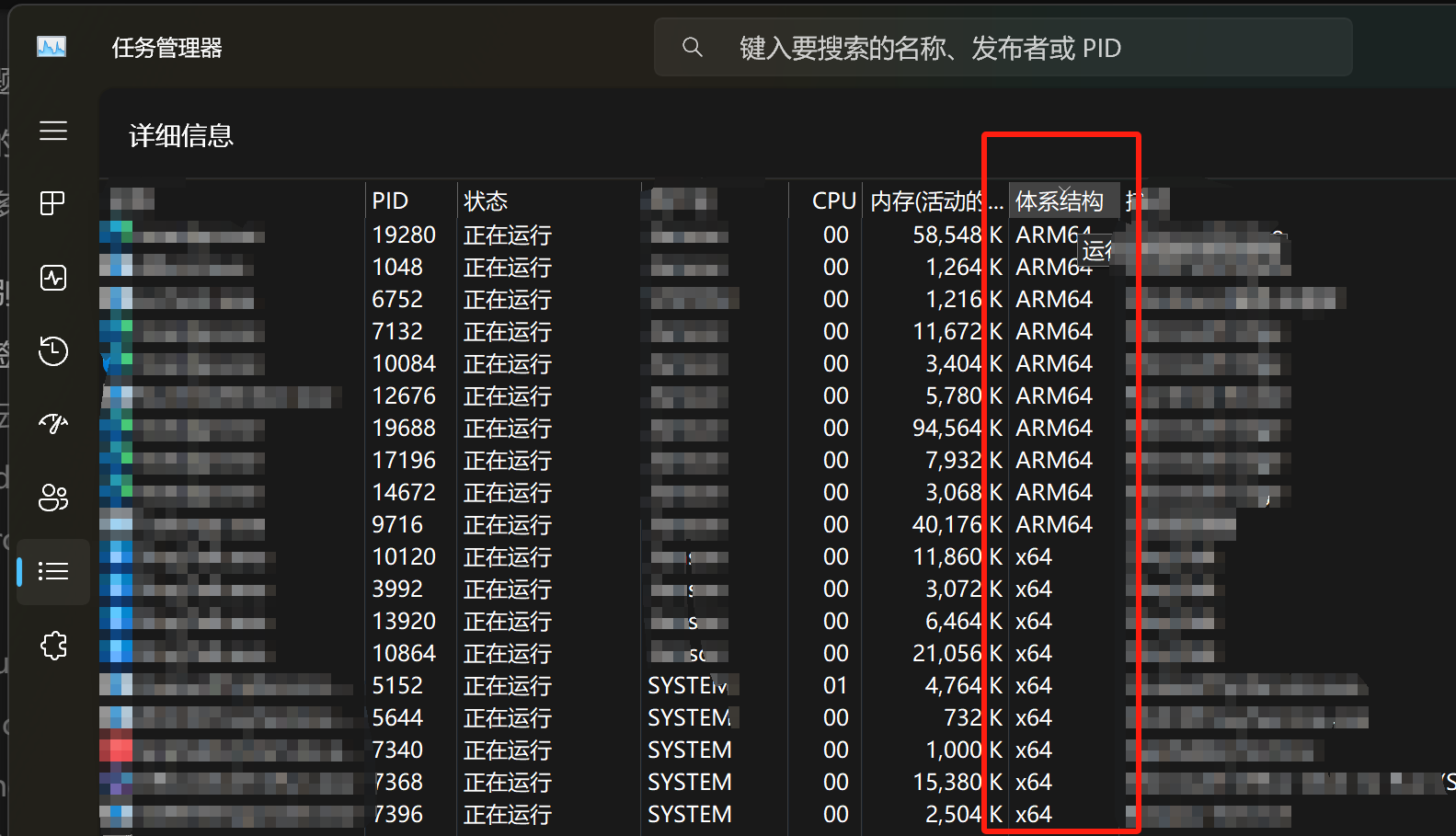
如果想要一个个干掉那么如1L所示打开任务管理器不就是最直观的做法吗?
不知道有没有现成的程序,如果要判断pe程序架构检查magic code应该就行。
全新安装的windows好像部分COM服务也还是x86程序。其他比如OneDrive也是。
我是华为的matebook ego,是需要用编程的能力解决么?任务管理器可以解决运行中的进程的架构查看,没有运行,或者是服务进程之类的可能就没办法了。

请问e go在日常使用中续航表现怎么样,真的有标称的14小时吗?
我要chatgpt帮你制作了一个ps1脚本,可以递归检查当前目录下所有exe的架构是不是arm64,不是的话会用红色语句输出他的架构。
enum PEType {
    X32
    X64
    Arm64
    Unknown
}

function Get-PEType {
    param (
        [string]$path
    )

    if ([string]::IsNullOrEmpty($path)) {
        return [PEType]::Unknown
    }

    try {
        $br = [System.IO.BinaryReader]::new([System.IO.File]::OpenRead($path))

        if ($br.BaseStream.Length -lt (0x3C + 4) -or $br.ReadUInt16() -ne 0x5A4D) {
            return [PEType]::Unknown
        }

        $br.BaseStream.Seek(0x3C, [System.IO.SeekOrigin]::Begin)
        $pos = $br.ReadUInt32() + 4

        if (($pos + 2) -gt $br.BaseStream.Length) {
            return [PEType]::Unknown
        }

        $br.BaseStream.Seek($pos, [System.IO.SeekOrigin]::Begin)
        $machine = $br.ReadUInt16()

        if ($machine -eq 0x014C) {
            return [PEType]::X32
        } elseif ($machine -eq 0x8664) {
            return [PEType]::X64
        } elseif ($machine -eq 0xAA64) {
            return [PEType]::Arm64
        } else {
            return [PEType]::Unknown
        }
    } catch {
        return [PEType]::Unknown
    } finally {
        $br.Close()
    }
}

# 设置要检查的根目录
$rootDirectory = $PSScriptRoot

# 递归遍历目录
Get-ChildItem -Path $rootDirectory -Recurse -Filter *.exe | ForEach-Object {
    $filePath = $_.FullName
    $bytes = [System.IO.File]::ReadAllBytes($filePath)
    $magicNumber = [BitConverter]::ToUInt16($bytes, 0)

    # 判断exe是否为PE文件
    if ($magicNumber -eq 0x5A4D) {
        # 获取架构信息

        $machineValue = Get-PEType($filePath)

        if ($machineValue -eq [PEType]::Arm64) {
            Write-Host "$filePath is an ARM64 program."
        } else {
            Write-Host "$filePath is not an ARM64 program. Architecture: 0x$machineValue" -ForegroundColor Red
        }
    }
    else {
        Write-Host "$filePath is not a PE (Portable Executable) file."
    }
}
请将以上内容另存为1.ps1
把这个文件放到任何你想检查的文件夹。右键文件夹空白处打开终端。
输入Set-ExecutionPolicy RemoteSigned -Scope Process 允许脚本执行
./1.ps1 执行脚本
如果出现没有权限访问可以先用管理员权限打开终端再使用cd指令移动到希望的目录。
厉害,我研究一下。ego没有14小时,不知道是不是因为我是闲鱼收的原因,收来的时候电池循环才18次,但基本上日常办公大概还是只有5到6小时的续航。