Laser Pen这个鼠标拖尾效果只能在本网页使用吗?
有没有这个windows版本的
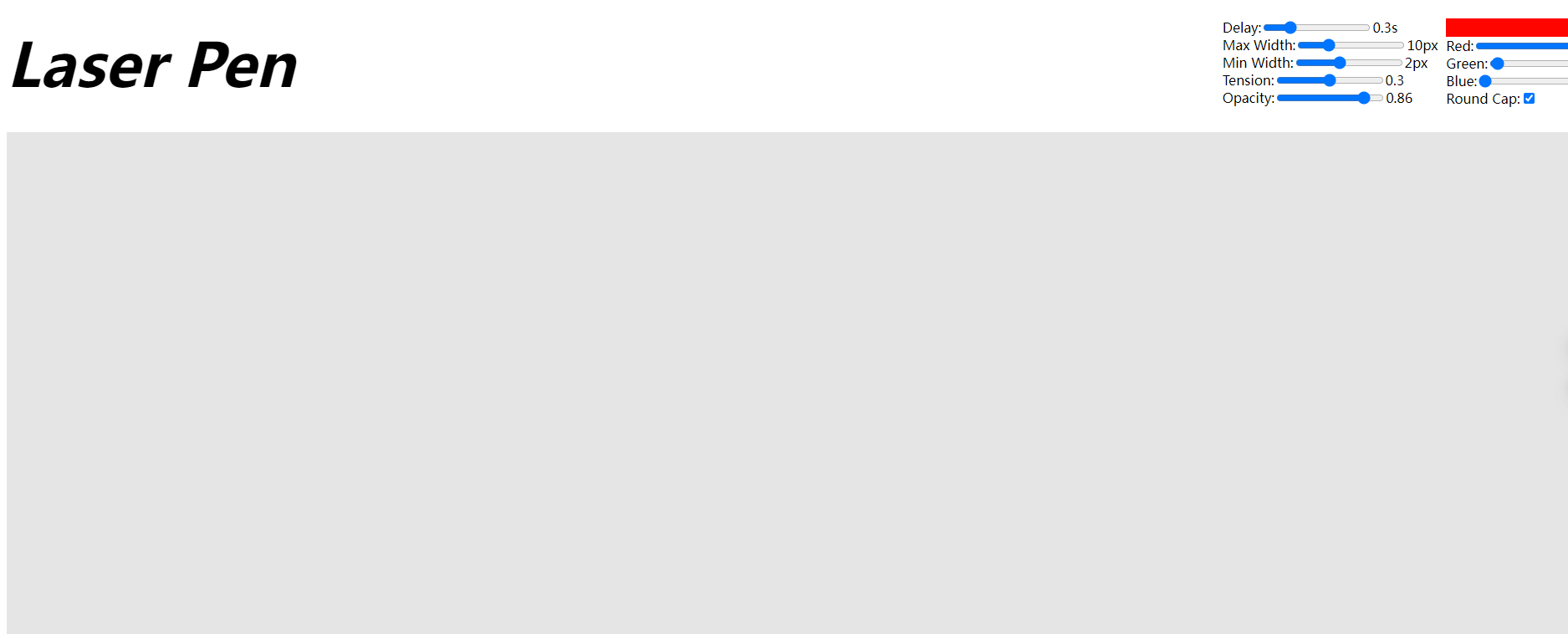
Laser Pen这个鼠标拖尾效果只能在本网页使用吗?
有没有这个windows版本的
这是一个开发者工具,仅能在网页上动态绘制图形、图表和其他视觉效果。
如果你不是开发者,就可以关了 
不过,你可以在这个帖子里找找灵感
这玩意让我想到了用Windows98的时候搞的那些花里胡哨的鼠标 
最近gpt5出了,我让gpt5做一个ahk版本的,结果真的几下子就做出来了!分享一下,不过cpu占用较高,适合录屏时候用一下,平时用会拉低电脑运行效率:
通过网盘分享的文件:Laser Pen ahk版.exe
链接: https://pan.baidu.com/s/1tptxTtqRCPB5MiInKD4tBQ?pwd=a78a 提取码: a78a
exe版下载地址:
#SingleInstance force
#Persistent
SetBatchLines, -1
CoordMode,mouse,screen

; 需要 Gdip.ahk
#Include <Gdip>

; 初始化 GDI+
if !pToken := Gdip_Startup()
{
    MsgBox, Gdiplus failed to start. Please include Gdip.ahk library!
    ExitApp
}

; 获取虚拟屏幕范围 (支持多显示器)
SysGet, vx, 76   ; SM_XVIRTUALSCREEN
SysGet, vy, 77   ; SM_YVIRTUALSCREEN
SysGet, vw, 78   ; SM_CXVIRTUALSCREEN
SysGet, vh, 79   ; SM_CYVIRTUALSCREEN

; 默认参数
global trailLife := 800      ; 尾迹时长 (ms)
global trailWidth := 12      ; 尾迹最大宽度
global colorMode := "Rainbow" ; 颜色模式: Rainbow / Mono
global monoHue := 0          ; 单色模式的色相(0=红,120=绿,240=蓝)
global glowSize := 15        ; 光点大小

; 创建透明绘制窗口(覆盖整个虚拟屏)
Gui, +AlwaysOnTop -Caption +ToolWindow +E0x20 +LastFound
Gui, Show, x%vx% y%vy% w%vw% h%vh%, Trail
hwnd := WinExist()
WinSet, ExStyle, +0x80000, ahk_id %hwnd%   ; WS_EX_LAYERED

hdc := DllCall("GetDC", "uint", hwnd, "ptr")
hdcMem := CreateCompatibleDC(hdc)
hbm := CreateDIBSection(vw, vh, hdc)
obm := SelectObject(hdcMem, hbm)
G := Gdip_GraphicsFromHDC(hdcMem)
Gdip_SetSmoothingMode(G, 4)

points := []

SetTimer, UpdateTrail, 16

;====================
; 设置窗口
Gui,2:+AlwaysOnTop
Gui,2:Add, Text,, 尾迹时长(ms):
Gui,2:Add, Edit, vtrailLifeEdit w80, %trailLife%

Gui,2:Add, Text,, 最大宽度:
Gui,2:Add, Edit, vtrailWidthEdit w80, %trailWidth%

Gui,2:Add, Text,, 颜色模式:
Gui,2:Add, DropDownList, vcolorModeChoice Choose1 w100, Rainbow|Mono, %colorMode%

Gui,2:Add, Text,, 单色Hue (0-360):
Gui,2:Add, Edit, vmonoHueEdit w80, %monoHue%

Gui,2:Add, Text,, 光点大小:
Gui,2:Add, Edit, vglowSizeEdit w80, %glowSize%

Gui,2:Add, Button, gApplySettings, 应用设置
Gui,2:Show, x50 y50, Laser Pen 设置
return

;====================
ApplySettings:
    Gui,2:Submit, NoHide
    trailLife := trailLifeEdit
    trailWidth := trailWidthEdit
    colorMode := colorModeChoice
    monoHue := monoHueEdit
    glowSize := glowSizeEdit
return

;====================
UpdateTrail:
    MouseGetPos, mx, my  ; 获取鼠标屏幕坐标 (全局)

    ; --- 转换为相对虚拟屏幕的坐标 ---
    relX := mx - vx
    relY := my - vy

    points.Push({x: relX, y: relY, t: A_TickCount})
    now := A_TickCount

    Gdip_GraphicsClear(G, 0x00000000)

    lastX := relX, lastY := relY
    Loop % points.MaxIndex()
    {
        i := points.MaxIndex() - A_Index + 1
        p := points[i]
        age := now - p.t
        if (age > trailLife) {
            points.RemoveAt(i)
            continue
        }
        fade := 1 - (age / trailLife)
        width := trailWidth * fade + 1
        alpha := Round(200 * fade)

        if (colorMode="Rainbow") {
            hue := Mod(p.t//6, 360)
        } else {
            hue := monoHue
        }
        color := HSLtoARGB(alpha, hue, 1.0, 0.5)

        pen := Gdip_CreatePen(color, width)
        Gdip_DrawLine(G, pen, lastX, lastY, p.x, p.y)
        Gdip_DeletePen(pen)

        lastX := p.x, lastY := p.y
    }

    ; 光点(两层:亮点+光晕)
    ;brush1 := Gdip_BrushCreateSolid(0xFFFFEEAA) ; 白黄亮点
    ;Gdip_FillEllipse(G, brush1, relX-glowSize/2, relY-glowSize/2, glowSize, glowSize)
    ;Gdip_DeleteBrush(brush1)

    brush2 := Gdip_BrushCreateSolid(0x55FF6600) ; 橙色光晕
    Gdip_FillEllipse(G, brush2, relX-glowSize, relY-glowSize, glowSize*2, glowSize*2)
    Gdip_DeleteBrush(brush2)

    ; 更新到分层窗口
    UpdateLayeredWindow(hwnd, hdcMem, vx, vy, vw, vh)
return

;====================
Esc:: ; 按 ESC 退出
    Gdip_DeleteGraphics(G)
    SelectObject(hdcMem, obm), DeleteObject(hbm), DeleteDC(hdcMem), ReleaseDC(hwnd, hdc)
    Gdip_Shutdown(pToken)
    ExitApp
return

;====================
HSLtoARGB(a, h, s, l) {
    c := (1 - Abs(2*l-1)) * s
    x := c * (1 - Abs(Mod(h/60,2)-1))
    m := l - c/2
    if (h < 60)
        r:=c, g:=x, b:=0
    else if (h < 120)
        r:=x, g:=c, b:=0
    else if (h < 180)
        r:=0, g:=c, b:=x
    else if (h < 240)
        r:=0, g:=x, b:=c
    else if (h < 300)
        r:=x, g:=0, b:=c
    else
        r:=c, g:=0, b:=x
    r := Round((r+m)*255), g := Round((g+m)*255), b := Round((b+m)*255)
    return (a<<24) | (r<<16) | (g<<8) | b
}