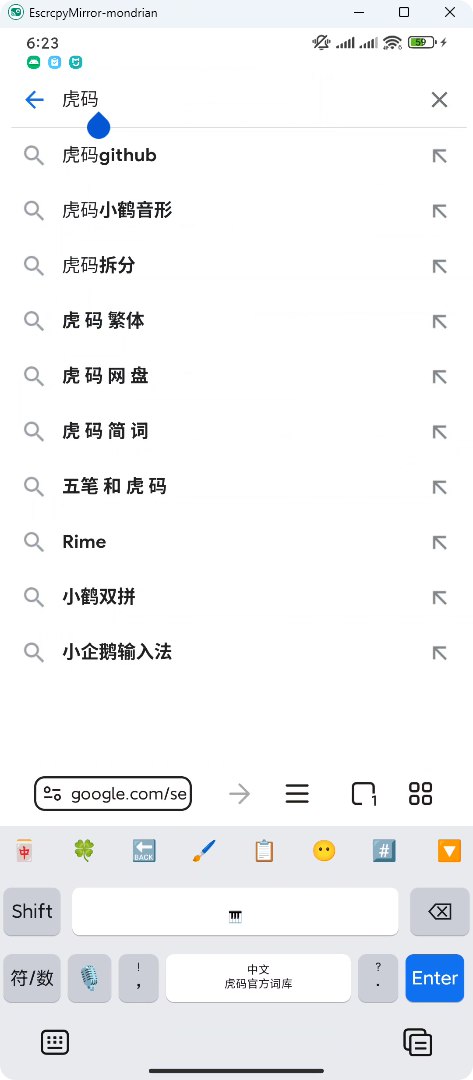
很有意思的想法,但我是直接用命令行启动 Scrcpy 的,并且不需要手动处理输入法虚拟键盘,所以我稍微修改了一下功能:
- VBS 脚本一键启动 Scrcpy 并运行 AHK 脚本
- 兼容多显示器场景,窗口会在它创建时所在的显示器内移动
- 允许自定义移动到左边缘还是右边缘
- 通过 Scrcpy 模拟物理键盘,在支持的输入法中会自动隐藏虚拟键盘
代码如下,有需自取:
VBS 脚本
' scrcpy 程序路径
scrcpyProgramPath = "scrcpy.exe"
' scrcpy 启动参数
scrcpyArguments = "-m 1920 -b 30M --max-fps=60 --no-audio --stay-awake --turn-screen-off --power-off-on-close --keyboard=uhid --mouse-bind=bnsh:++++ --shortcut-mod=ralt"
scrcpy = """" & scrcpyProgramPath & """ " & scrcpyArguments

' ahk 程序路径
ahkProgramPath = "C:\Program Files\AutoHotkey\v2\AutoHotkey.exe"
' ahk 脚本路径
ahkFilePath = "C:\Users\user\scrcpy.ahk"
ahk = """" & ahkProgramPath & """ """ & ahkFilePath & """"

CreateObject("Shell.Application").ShellExecute "cmd.exe", "/c " & scrcpy, "", "", 0
CreateObject("WScript.Shell").Run ahk, 0, False
AHK 脚本
#requires AutoHotkey v2.0

#SingleInstance Force
SendMode("Input")
SetWorkingDir(A_ScriptDir)
SetTitleMatchMode(2)
FileEncoding("UTF-8")

global DWMWA_EXTENDED_FRAME_BOUNDS := 9

class Monitor {
    static getCount() {
        return MonitorGetCount()
    }

    static getIndexByWindow(title := "A") {
        local rect := getWindowRect(title)
        local borders := []
        loop Monitor.getCount() {
            borders.Push(Monitor.getRectByIndex(A_Index))
        }

        ; 先按窗口中心点的坐标确定在哪个显示器上
        local centerX := rect.x + rect.w / 2
        local centerY := rect.y + rect.h / 2
        for (i, v in borders) {
            if (centerX >= v.l && centerX <= v.r && centerY >= v.t && centerY <= v.b) {
                return i
            }
        }
        ; 再按窗口左上角点的坐标确定在哪个显示器上
        for (i, v in borders) {
            if (rect.x >= v.l && rect.x <= v.r && rect.y >= v.t && rect.y <= v.b) {
                return i
            }
        }
    }

    static getRectByIndex(index) {
        local l := 0
        local t := 0
        local r := 0
        local b := 0
        MonitorGet(index, &l, &t, &r, &b)

        local w := Abs(r - l)
        local h := Abs(b - t)

        return { l: l, t: t, r: r, b: b,
            x: l, y: t, w: w, h: h }
    }

    static getWorkAreaRectByIndex(index) {
        local l := 0
        local t := 0
        local r := 0
        local b := 0
        MonitorGetWorkArea(index, &l, &t, &r, &b)

        local w := Abs(r - l)
        local h := Abs(b - t)

        return { l: l, t: t, r: r, b: b,
            x: l, y: t, w: w, h: h }
    }
}

getWindowRect(title := "A") {
    local x := 0
    local y := 0
    local w := 0
    local h := 0

    try {
        WinGetPos(&x, &y, &w, &h, title)
    }

    return { x: x, y: y, w: w, h: h }
}

getWindowRealRect(title := "A") {
    local x := 0
    local y := 0
    local w := 0
    local h := 0

    local rect := Buffer(16, 0)
    try {
        DllCall("dwmapi\DwmGetWindowAttribute",
            "Ptr", WinExist(title),
            "UInt", DWMWA_EXTENDED_FRAME_BOUNDS,
            "Ptr", rect,
            "UInt", rect.size,
            "UInt")
        x := NumGet(rect, 0, "Int") - x
        y := NumGet(rect, 4, "Int") - y
        w := NumGet(rect, 8, "Int") - x
        h := NumGet(rect, 12, "Int") - y
    } catch {
        return { x: x, y: y, w: w, h: h }
    }

    return { x: x, y: y, w: w, h: h }
}

moveAndResize(title := "A", edge := "left") {
    local status := 1
    try {
        status := WinGetMinMax(title)
    }
    if (status != 0) {
        return
    }

    local rect := getWindowRect(title)
    local real := getWindowRealRect(title)
    local area := Monitor.getWorkAreaRectByIndex(Monitor.getIndexByWindow(title))

    local ratio := real.w / real.h
    local xShadowW := real.x - rect.x
    local yShadowH := (rect.h - real.h) / 2

    local w := area.h * ratio + (xShadowW + 1) * 2
    local h := area.h + (yShadowH + 1) * 2
    local x := edge == "left" ? area.l - (xShadowW + 1) : area.r - w
    local y := area.t - 1

    WinMove(x, y, w, h, title)
}

; 使用示例
; 该示例查找 scrcpy.exe 程序所创建的首个窗口,如果使用的不是 scrcpy.exe,则需要修改查找条件
global hwnd := WinWait("ahk_exe scrcpy.exe", , 5)
if (hwnd) {
    moveAndResize("ahk_id" . hwnd, "left")
} else {
    MsgBox("Scrcpy 未启动或未找到窗口")
}