Niceb
2025 年11 月 9 日 06:15
1
本文先不讨论MacOS的设计语言,仅关注其产生的发热问题。
在MacOS还处于开发者测试阶段时,我就已经尝试安装,但是多次试用之后发现发热巨大无法正常使用,然后退回到MacOS 15。 也找了各种百度和谷歌,发现提到这个问题的话题其实非常少。
最近MacOS 26.1 推出,为了防止再次无效折腾,我又对相关话题进行了检索。终于发现了一些问题。V2ex 中 fukai7722 提到
在本次更新之前,Electron 框架会覆盖一个名为“cornerMask”的私有 API 。通常情况下,私有 API 并不对外开放供第三方开发者使用,而是由苹果公司为特定内部用途所设计。苹果不会像测试公开 API 那样对私有 API 进行充分验证,因此调用此类接口存在较高风险。
同时其他楼层给出了electron 相关的issue
已打开 11:32PM - 12 Sep 25 UTC
已关闭 07:41PM - 26 Sep 25 UTC
platform/macOS
performance
bug
37-x-y
38-x-y
### Maintainer update
From @MarshallOfSound (https://github.com/electron/electr… on/issues/48311#issuecomment-3304577581):
> Hey folks, anyone experiencing this issue can you please raise a Feedback (via Feedback Assistant) with Apple. Make sure you send it while the issue is occurring and ensure you include a sysdiagnose with your report (I think that's automatic now, but check the box if there's a box).
>
> We need a lot more to go on and this is likely a macOS issue.
### Preflight Checklist
- [x] I have read the [Contributing Guidelines](https://github.com/electron/electron/blob/main/CONTRIBUTING.md) for this project.
- [x] I agree to follow the [Code of Conduct](https://github.com/electron/electron/blob/main/CODE_OF_CONDUCT.md) that this project adheres to.
- [x] I have searched the [issue tracker](https://www.github.com/electron/electron/issues) for a bug report that matches the one I want to file, without success.
### Electron Version
37.3.1
### What operating system(s) are you using?
macOS
### Operating System Version
macOS 26 Tahoe RC
### What arch are you using?
arm64 (including Apple Silicon)
### Last Known Working Electron version
N/A, issue only persists since macOS 26
### Does the issue also appear in Chromium / Google Chrome?
No
### Expected Behavior
Smooth 120fps experience even when Electron-apps are open or not minimized
### Actual Behavior
Using an M1 Max MacBook Pro, having Electron-based apps open / not minimized causes a huge lag.
CPU and GPU usage remains low, but if I have Discord and VS Code open, moving windows, scrolling is stuttery. It happens even when only Discord is open but it gets worse if I open a second Electron app.
This is kind of weird because while having Discord open and I'm in Chrome, the lag still occurs, but it's fixed if I minimize Discord (even though Chrome is fully in focus and maximized). This happens since upgrading to macOS 26 RC, macOS 15 didn't have this issue.
There is a similar lag if I open Settings - Wallpapers, moving the Settings window is laggy then (looks like 60fps instead of 120).
### Testcase Gist URL
_No response_
### Additional Information
_No response_
main ← avarayr:macos-remove-corner-mask
已打开 04:58AM - 25 Sep 25 UTC
#### Description of Change
fixes: #48311
- stop overriding the private `_… cornerMask` selector in `ElectronNSWindow`
- remove the `cornerMask` plumbing that applied a custom mask image to vibrant views
- rely on AppKit’s default shadow rendering, which fixes the WindowServer GPU spike on macOS 26 Tahoe when shadows are enabled
Rationale:
> If AppKit uses method implementation identity to decide whether the window mask is static, then a subclass override (even if it calls super) will change that identity and force the compositor to treat the mask as dynamic.
>> ### Method-IMP sentinel check
>>
>> AppKit asks: “is _cornerMask implemented by the standard theme frame?” via `class_getMethodImplementation` / `method_getImplementation.`
>> If yes → treat masks as canonical and use a shared cache keyed by class/selector;
>>if no → mark mask as custom and re-render per-window. → persistent high GPU load
Backwards-compat concerns:
I see no reason to override `_cornerMask` as the corner radius masking is already covered by `NSVisualEffectView` `setMaskImage`, rendering NO visual difference without `_cornerMask` override + vibrancy
#### Checklist
- [x] PR description included and stakeholders cc'd
- [x] `npm test` passes
- [ ] tests are [changed or added](https://github.com/electron/electron/blob/main/docs/development/testing.md)
- [ ] relevant API documentation, tutorials, and examples are updated and follow the [documentation style guide](https://github.com/electron/electron/blob/main/docs/development/style-guide.md)
- [ ] [PR release notes](https://github.com/electron/clerk/blob/main/README.md) describe the change in a way relevant to app developers, and are [capitalized, punctuated, and past tense](https://github.com/electron/clerk/blob/main/README.md#examples).
#### Release Notes
Notes: Fixed excessive WindowServer GPU usage on macOS Tahoe 26.
,我大致看了一下,好像锅还是没分好,不过在9月底给出了修复版本
The specific Electron versions that contain the fix for the issue are v39.0.0-alpha.7, v38.2.0, v37.6.0 and v36.9.2
同时, 还有一个网站可以查询软件的最新版本是否已经修复了相关问题 Shamelectron - Electron Apps macOS Tahoe GPU Performance Tracker
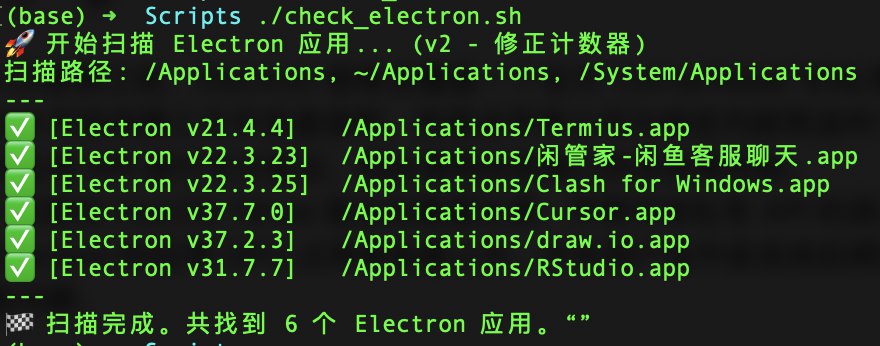
为了检查我的电脑中的软件是否已经修复,我拜托Gemini帮我写了个脚本(附后)用于检查已经安装的electron应用,并提取其electron版本,发现我这还是挺多的
发现有些软件版本居然还停留在很久很久之前(无人维护的先不算),, 有些付费的应用居然也是上古版本,难崩。
检测脚本 -Power by Gemini
#!/bin/bash

echo "🚀 开始扫描 Electron 应用... (v2 - 修正计数器)"
echo "扫描路径: /Applications, ~/Applications, /System/Applications"
echo "---"

# 定义要搜索的目录数组
SEARCH_DIRS=(
    "/Applications"
    "$HOME/Applications"
    "/System/Applications"
)

found_count=0

# 核心改动:
# 我们将 find 命令的输出通过 < <(find ...) 重定向到 while 循环
# 而不是使用 find ... | while ... 管道。
# 这可以防止 while 循环在子 shell 中运行,确保 $found_count 在主脚本中被正确更新。
#
# 另外,我们把 for 循环合并到了 find 命令中,一次性搜索所有路径。
# 2>/dev/null 用于抑制 "Permission denied" 等错误信息。

while IFS= read -r -d '' app_path; do

    # 构造 Electron 框架的路径
    framework_path="$app_path/Contents/Frameworks/Electron Framework.framework"

    # 检查该框架目录是否存在
    if [ -d "$framework_path" ]; then

        ((found_count++))

        # --- 尝试获取版本号 ---
        version="Unknown"
        plist_path="$framework_path/Versions/A/Resources/Info.plist"

        # 检查 Info.plist 文件是否存在
        if [ -f "$plist_path" ]; then
            # 1. 尝试 CFBundleShortVersionString
            version_short=$(defaults read "$plist_path" CFBundleShortVersionString 2>/dev/null)

            # 2. 尝试 CFBundleVersion
            version_bundle=$(defaults read "$plist_path" CFBundleVersion 2>/dev/null)

            if [ -n "$version_short" ]; then
                version="$version_short"
            elif [ -n "$version_bundle" ]; then
                version="$version_bundle"
            else
                version="Unknown (无法读取版本键)"
            fi
        fi

        # 打印格式化的结果
        printf "✅ [Electron v%s]\t%s\n" "$version" "$app_path"
    fi
done < <(find "${SEARCH_DIRS[@]}" -type d -name "*.app" -maxdepth 3 -print0 2>/dev/null)

echo "---"
echo "🏁 扫描完成。共找到 $found_count 个 Electron 应用。"“”
又废话了一堆,感觉站里用MacOS的还是挺少的,对MacOS 26感兴趣的更是少之又少了。
2 个赞
copy脚本跑了下,34个应用,怪不得我之前升级MacOS 26的时候问题表现那么严重,也算是找到原因了,目前还是呆在15比较好用,想体验下的话,只能等后面修复+换电脑看看会不会好一些了
Niceb
2026 年1 月 20 日 02:49
3
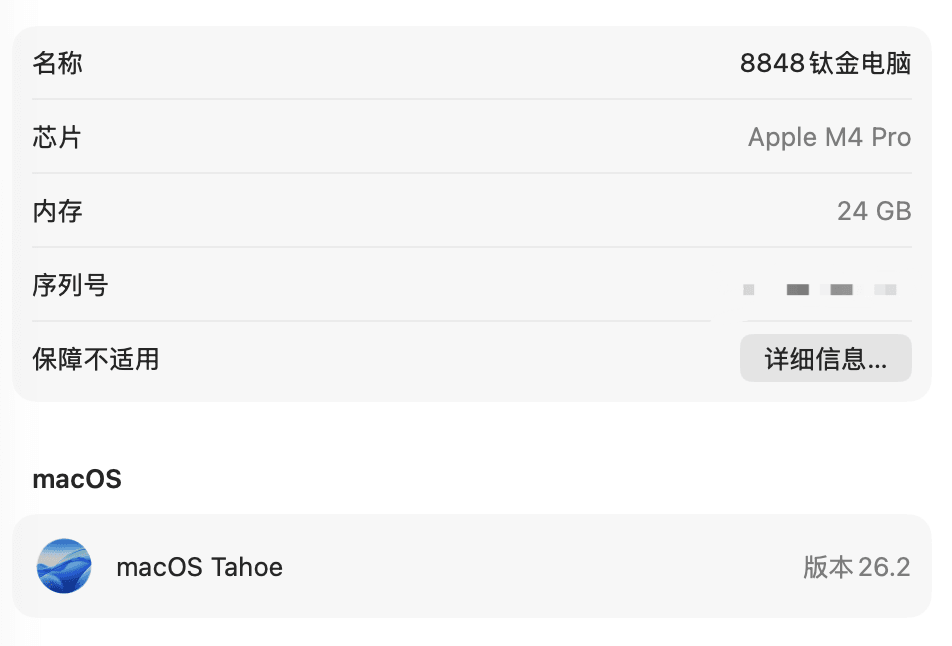
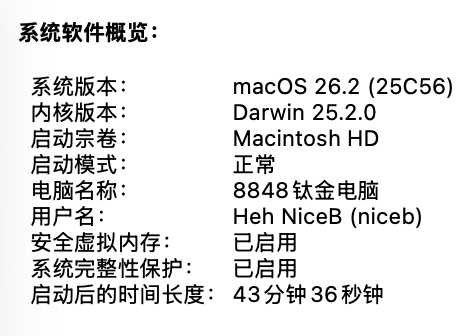
据说MacOS 26.2已经在系统层面修复此问题。
我先更新试试。